Manage Account Access
PIC owners and operators are able to add additional family members, staff, livestock agents, and/or advisors to access their LPA account. This provides users with the ability to complete tasks such as access and create eNVDs, order NVD books, renew LPA accreditation, manage and complete voluntary modules, and/or view and manage audit information.
There are two levels of user access available to added users:
- Primary Users
- Associate Users
To understand the roles and permissions for each user type within your LPA account, view the table.
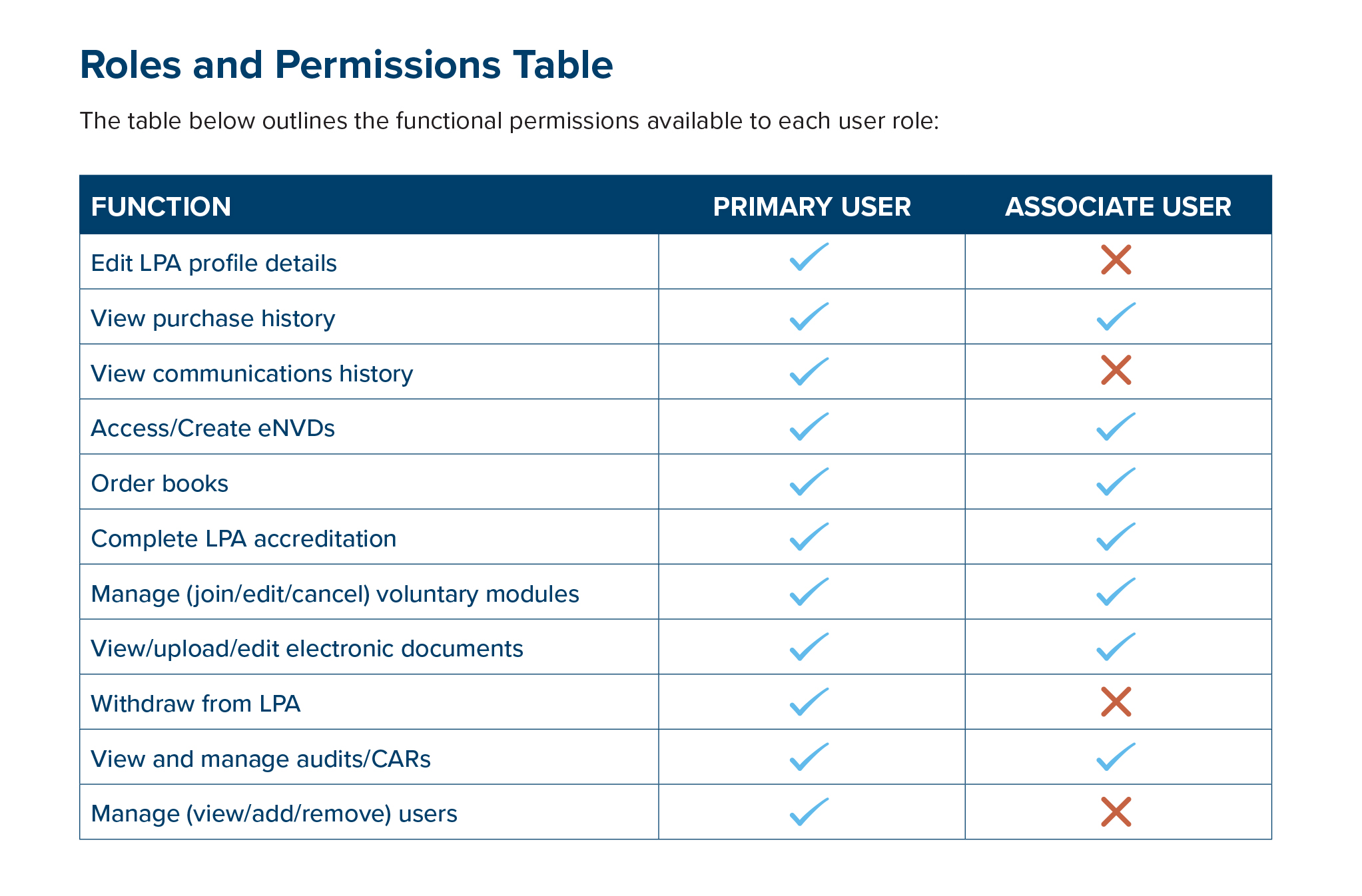
Please note: Only Primary Users can add additional users to an LPA account or close and account. We recommend that PIC owners be a Primary Users and all others be given Associate User access.
All users need to have a myMLA account to be added to an LPA account. If they do not have a myMLA account, they will receive an email with information to create an myMLA account when added by a Primary User. Invitations to create an account expire after seven days and can be re-sent or deleted by Primary Users.
There are two ways to add new users to an LPA account, either during registration of a new LPA account or at any time from within your LPA account settings.
To add a user for existing accounts:
- Login to your LPA account.
- Navigate to Account and select Manage Account Access.
- Click on + Add Linked Account.
- Enter the email address, user type (primary or associate user) and the user’s role in the business and click Save and Continue.
- An invitation will be sent to the user providing access to this LPA account or prompting them to set up a myMLA account first.
Access can be edited or revoked at any time by Primary Users, and pending invitations can be re-sent or deleted.
All access changes, including invitations, role assignments, and removals, are logged and visible to ISC Customer Service, who are available to assist with troubleshooting and compliance.